Canva for OnlyFans Promo Graphics, Menus and Welcome Packs
Canva lets creators crank out clean promo graphics, price sheets, and subscriber welcome packs that convert without hiring a designer. Adult performers need SFW visuals that push PPV and drive traffic from Instagram and TikTok. This tool nails quick, branded assets that keep your look consistent across platforms. Five years grinding this game shows most creators waste hours on basic design. Canva cuts that shit down.
What Is Canva?
Canva started as a simple online design platform and grew into a full visual suite with heavy AI integration. It targets non-designer creators who need fast social assets and printables. Free tier gives solid templates while Pro unlocks Brand Kit, background remover, and premium elements. Web-based with solid mobile apps for on-the-go edits. Creators rely on it to own their look outside platform algorithms.
Content and Features
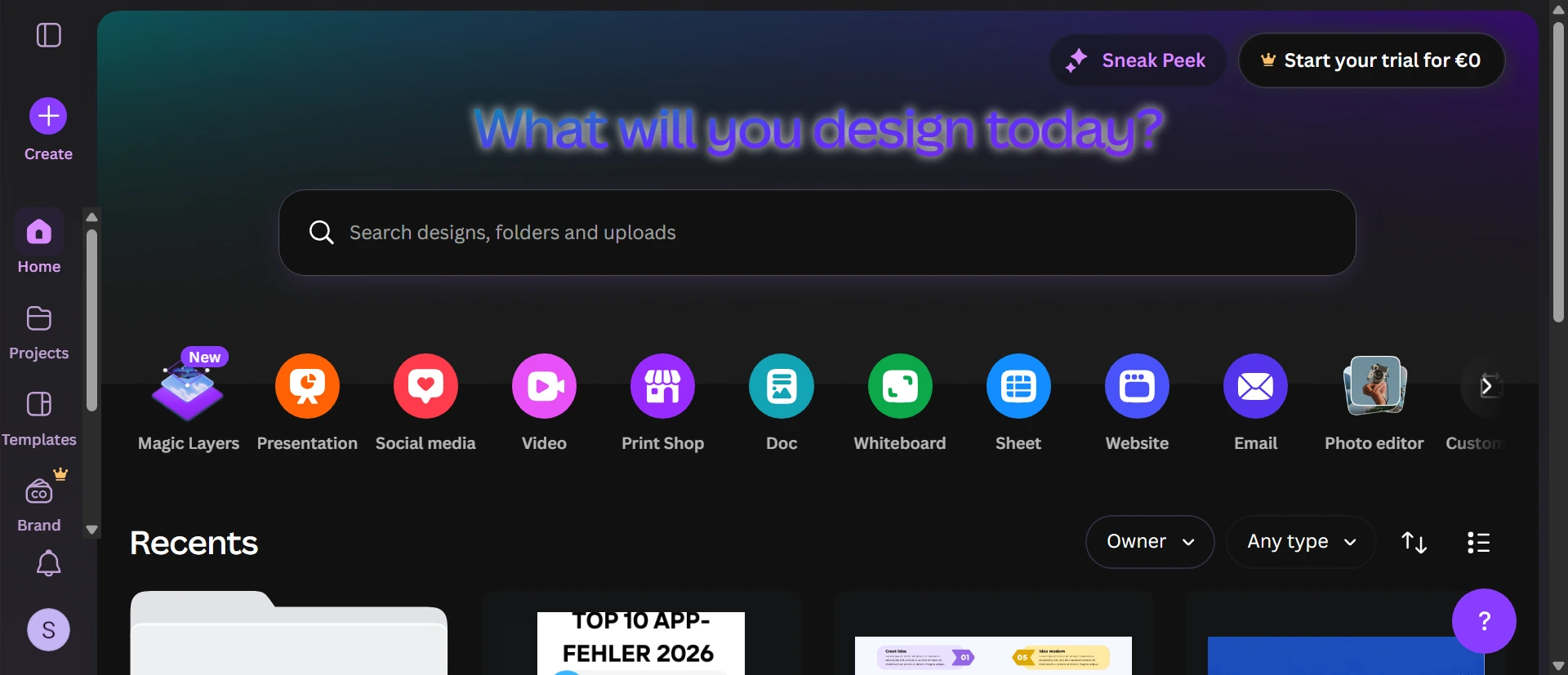
Millions of templates for Instagram posts, Stories, price lists, welcome packs, and PPV covers. Magic Studio AI handles text-to-image, background removal, Magic Write for captions, and auto-resizing. Drag-drop editor with stock photos, fonts, and animations. Brand Kit locks colors and logos across designs. Real-time collaboration for teams or chatters. Exports in multiple formats without watermarks on paid plans. Handles both digital promo and print-ready files.
Design and User Experience
Intuitive drag-and-drop canvas with smart guides and alignment tools. Left sidebar holds elements, templates, and AI features. Mobile app supports quick edits but desktop version feels more complete. Searchable library loads fast. Occasional Pro upgrade prompts appear but core tools stay accessible. Clean interface with no heavy ads. Stable performance even with layered designs.
How It Compares
Adobe Express gives more advanced photo tools but steeper learning curve and weaker templates than Canva. Snappa loads faster for simple social graphics yet lacks Canva’s AI suite and massive asset library. VistaCreate offers similar templates but inferior collaboration and Brand Kit features. Canva dominates speed and ease for daily creator assets but shares strict content policies with competitors on explicit uploads.
Pros and Cons
Pros
- Brand Kit keeps all your promo graphics consistent with custom colors and logos across every design
- Magic Resize instantly adapts one menu or price sheet to multiple platform sizes
- AI Magic Write generates PPV captions and bio copy that sound natural for your brand
- One-click background remover turns explicit shots into safe SFW promo versions
- Real-time collaboration lets chatters or assistants edit welcome packs together
Cons
- Strict content filters flag and risk banning accounts that upload borderline adult images
- Pro paywall locks essential AI tools like advanced Magic Studio after free trial
- Template-heavy designs can look generic unless you heavily customize every element
Frequently Asked Questions
How well does Canva background remover work for safe promos?
One-click AI removes bedroom backgrounds fast and replaces them with neutral ones. Perfect for turning risky clips into Instagram-approved teaser graphics without losing quality.
Can Canva create price sheets and welcome packs quickly?
Yes. Drag-drop templates plus Brand Kit let you build professional-looking menus and onboarding packs in under ten minutes. Saves hiring freelancers for every update.
Is Canva better than Adobe Express for OnlyFans creators?
Canva wins on template volume, ease, and Magic AI tools for fast daily graphics. Adobe Express offers deeper photo editing but slower workflow and higher learning curve for non-designers.